 AIGOCO Accounting
Clients send what's needed
Each client sees one private page listing only what's missing for their next return.
For New Zealand accounting practices
GST, PAYE and payday filing deadlines worked out for every client, reminders that list exactly what's missing, and one private upload page per client. Set up for your practice by our team.
Built around IRD due dates, public holidays includedBook a demo

 Boss Cleanup
 Aigoco VPN
 ExamUncle
 AguEdit
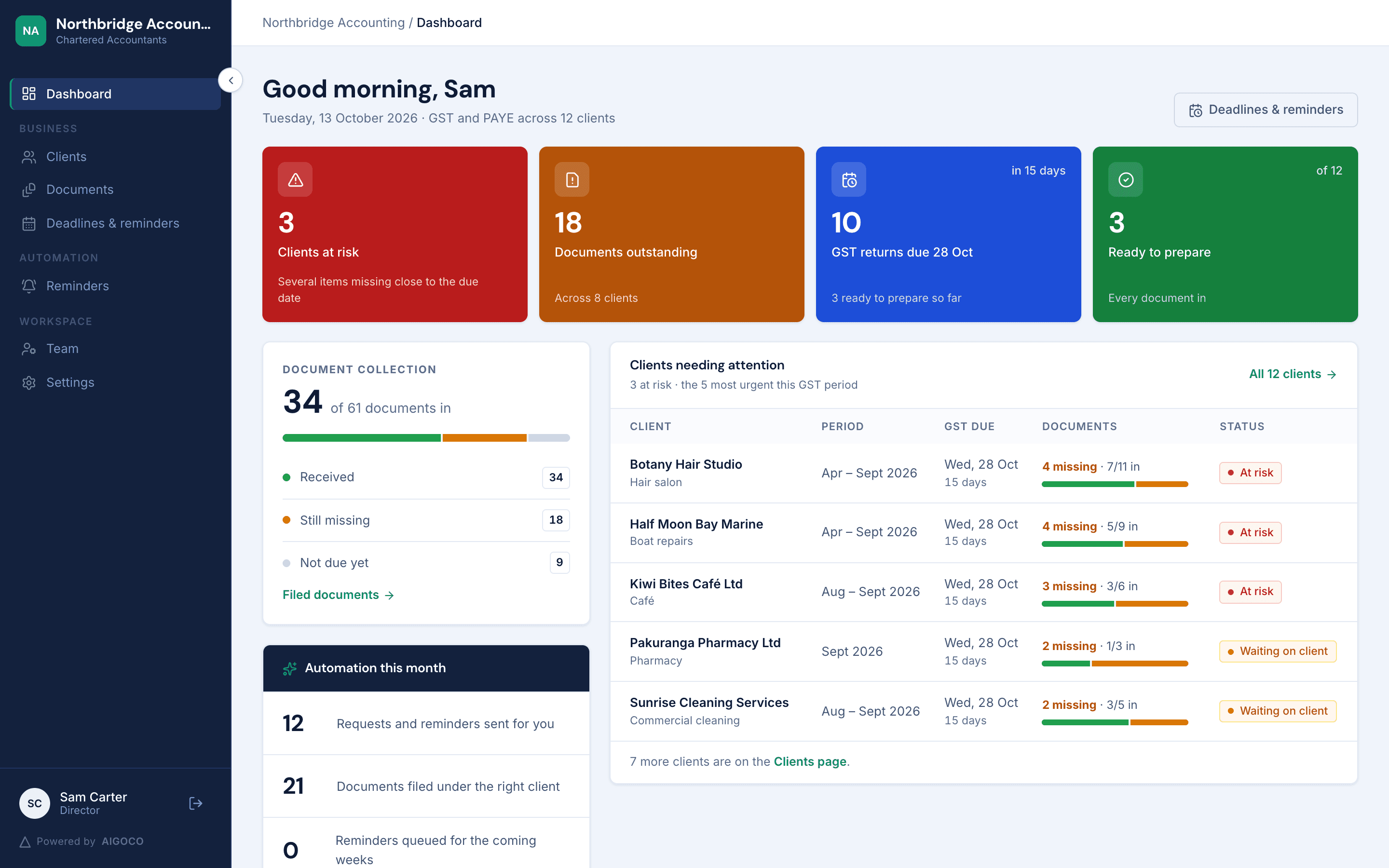
GST two-monthly and six-monthly cycles, the 15 January and 7 May due dates, PAYE on the 20th and payday filing are all worked out for you.
Each client sees one private page listing only what's missing for their next return.
Return and payment dates follow the tax rules, weekends and public holidays included.
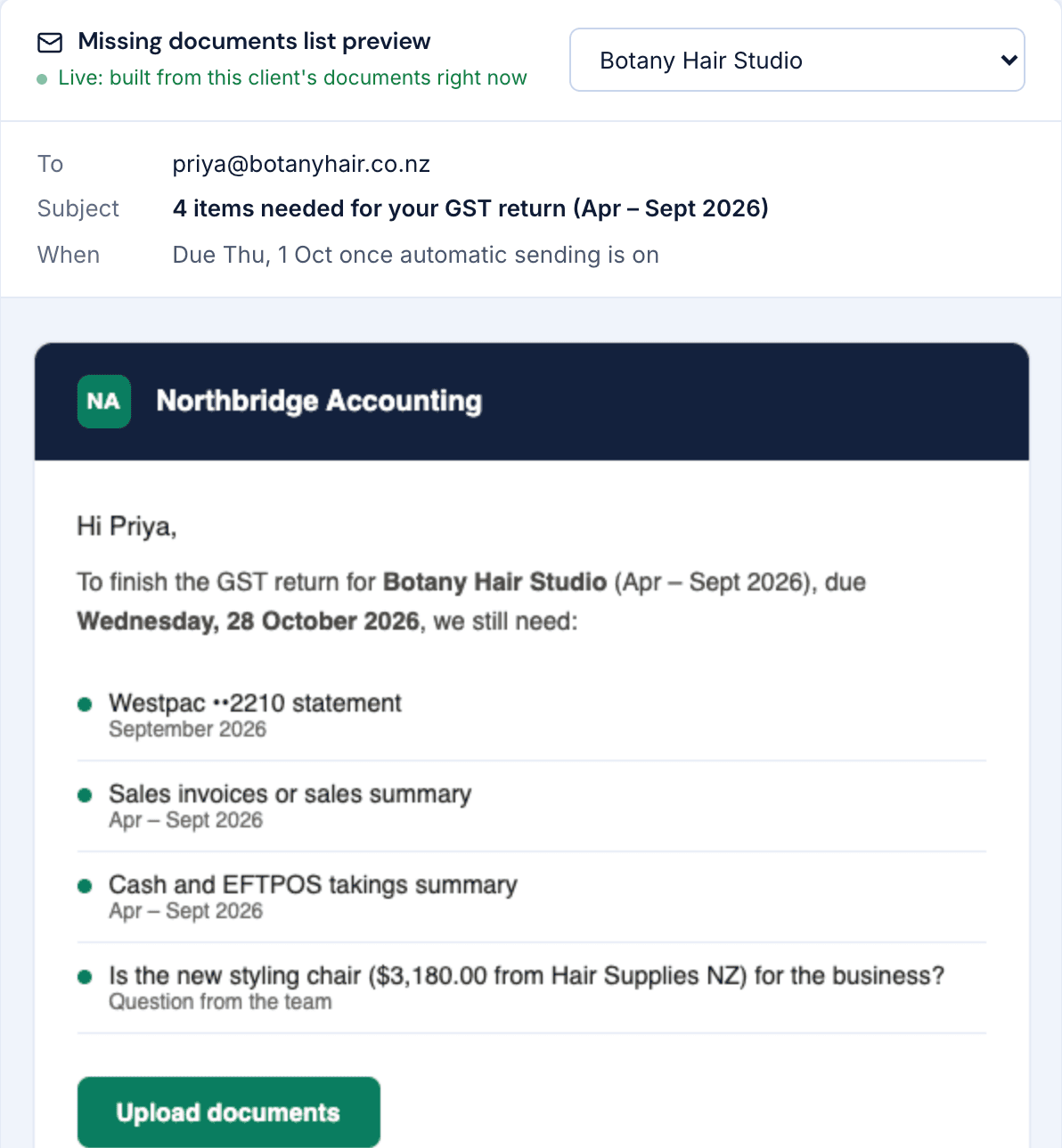
Every reminder lists exactly what's still missing. Send it yourself or let it go out on time.
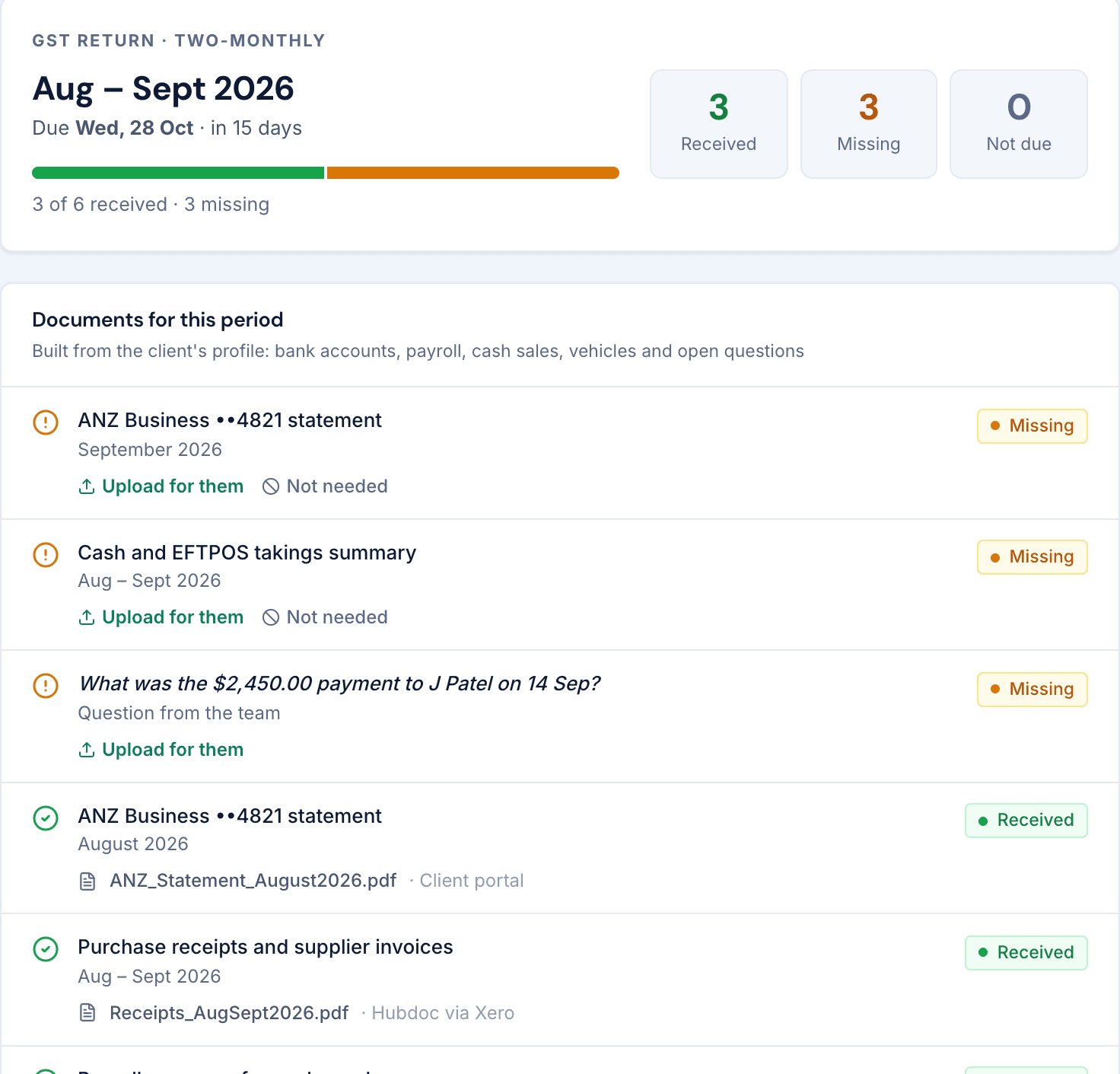
Record how each client is set up once. Every period gets its own list of what you need, showing what's received, missing and not due yet.
Preview every email before it goes. Switch on automatic sending when you're ready, and each reminder goes out once, on time.
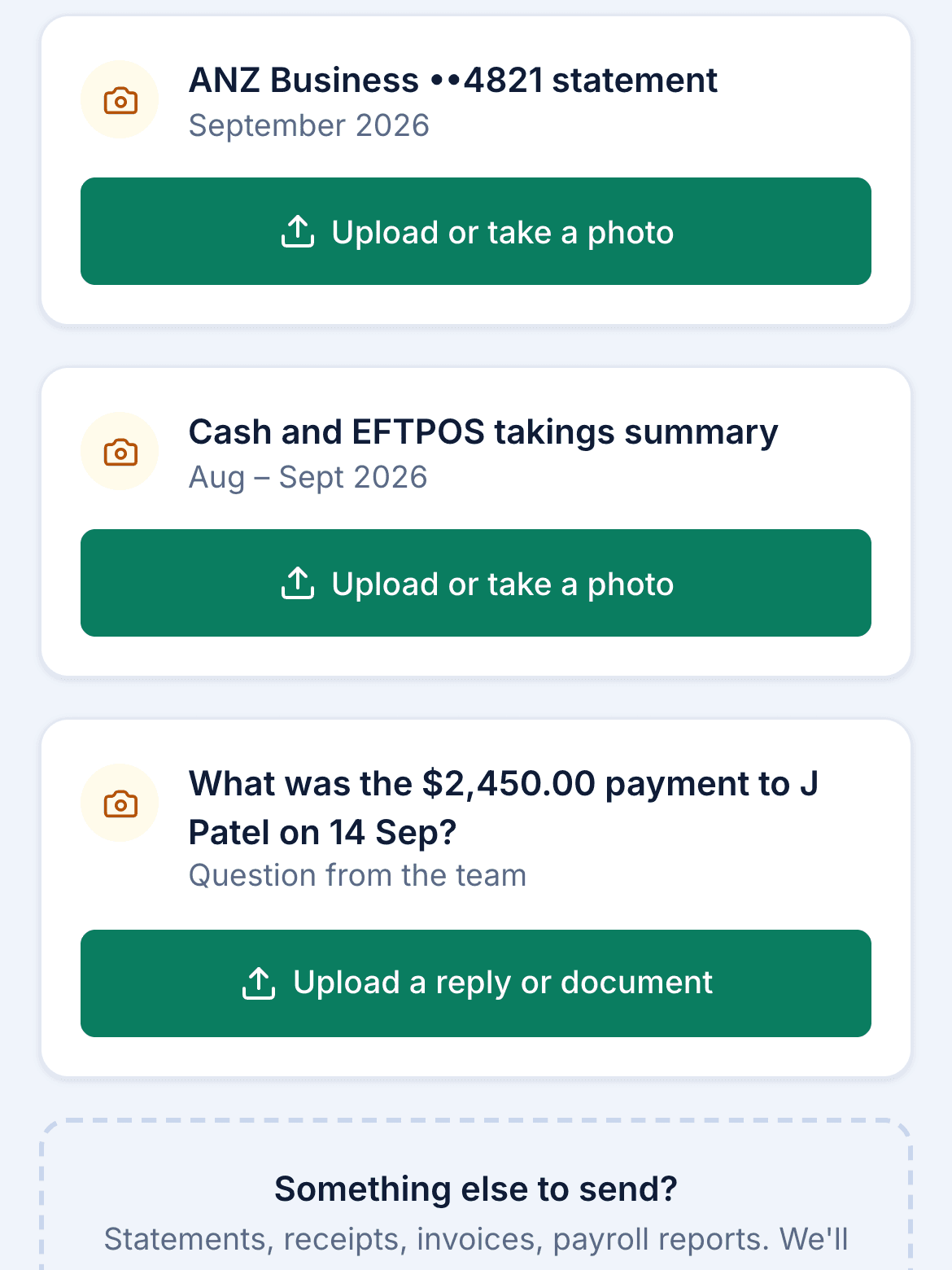
Clients confirm a code sent to their email, then upload from their phone or computer. Files land against the right checklist item.
Uploads and emailed documents are matched to the right client and item. Anything uncertain waits for one click from your team.
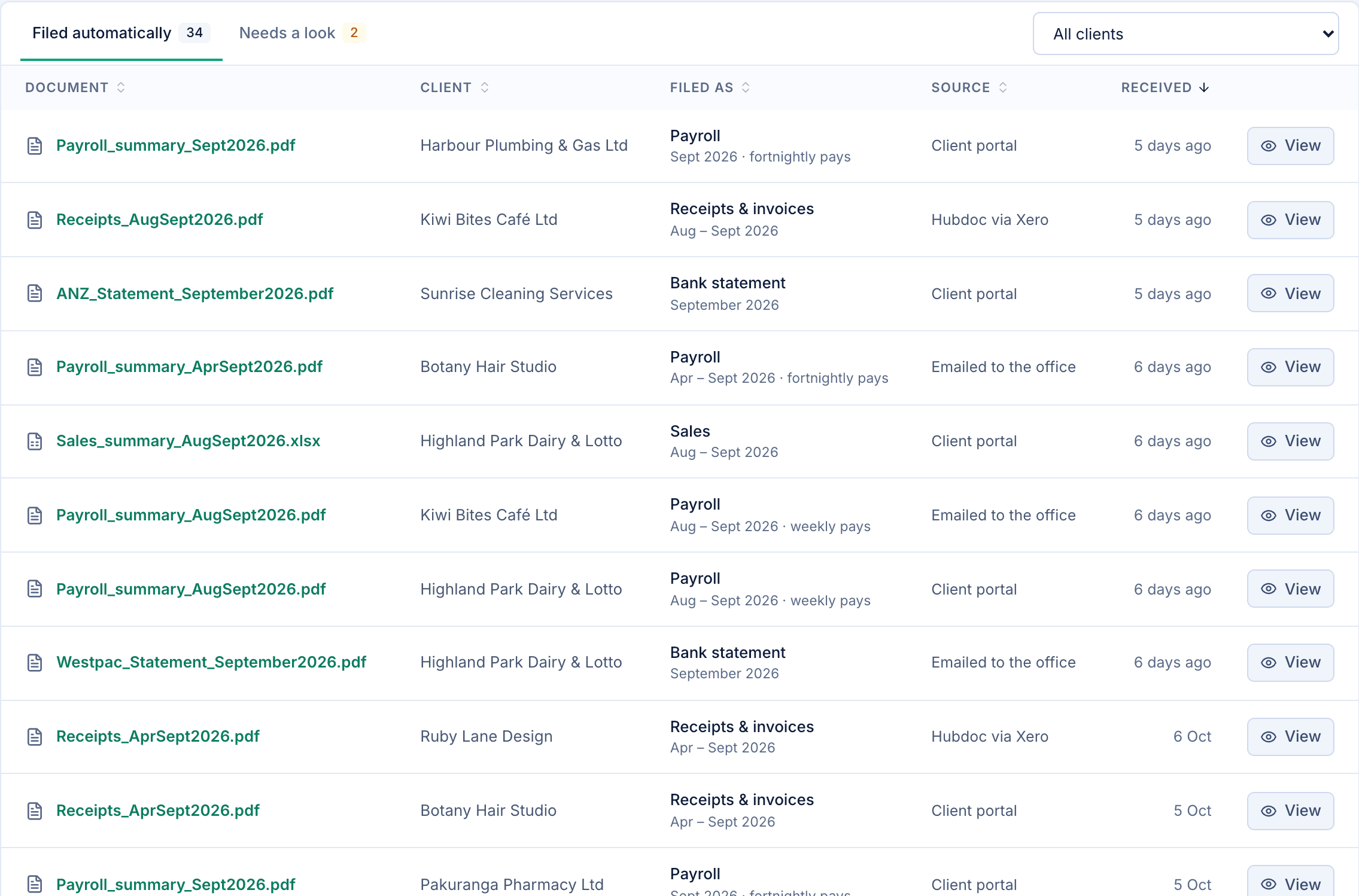
Due dates move for weekends and national public holidays, just as IRD moves them.
1 link
per client, with only what's missing
0
passwords your clients need
2-step
sign-in for your team: password and emailed code
30 days
before an upload link expires
Every feature, for your whole team. We do the setup, so you start with every client already in place.
$99per month, per business
Plus a one-off setup fee, quoted for your business.
Yes. GST is due on the 28th of the month after each period, except periods ending in November (15 January) and March (7 May). Dates falling on a weekend or national public holiday move to the next working day.
Yes. PAYE reminders work to the 20th of the following month, and payday filing to two working days after each payday, for every client with employees.
No. Each client gets a private link to their own upload page. They confirm a code sent to their email once, then upload from a phone or computer without a password.
Every business has its own database schema, owned by its own database role. Each request works inside one business, so another business's data can't be read from it. Your team signs in with a password and a code emailed to them.
We create your account, add your clients and how each one is set up, apply your name and colour theme, and bring your team on board. We quote it once we know your practice.
Only once you switch automatic sending on. Until then you can preview every reminder, built from what each client is still missing, and send it yourself.
Tell us about your practice and we'll be in touch within one business day to set it up.
Go to your business's address to sign in.